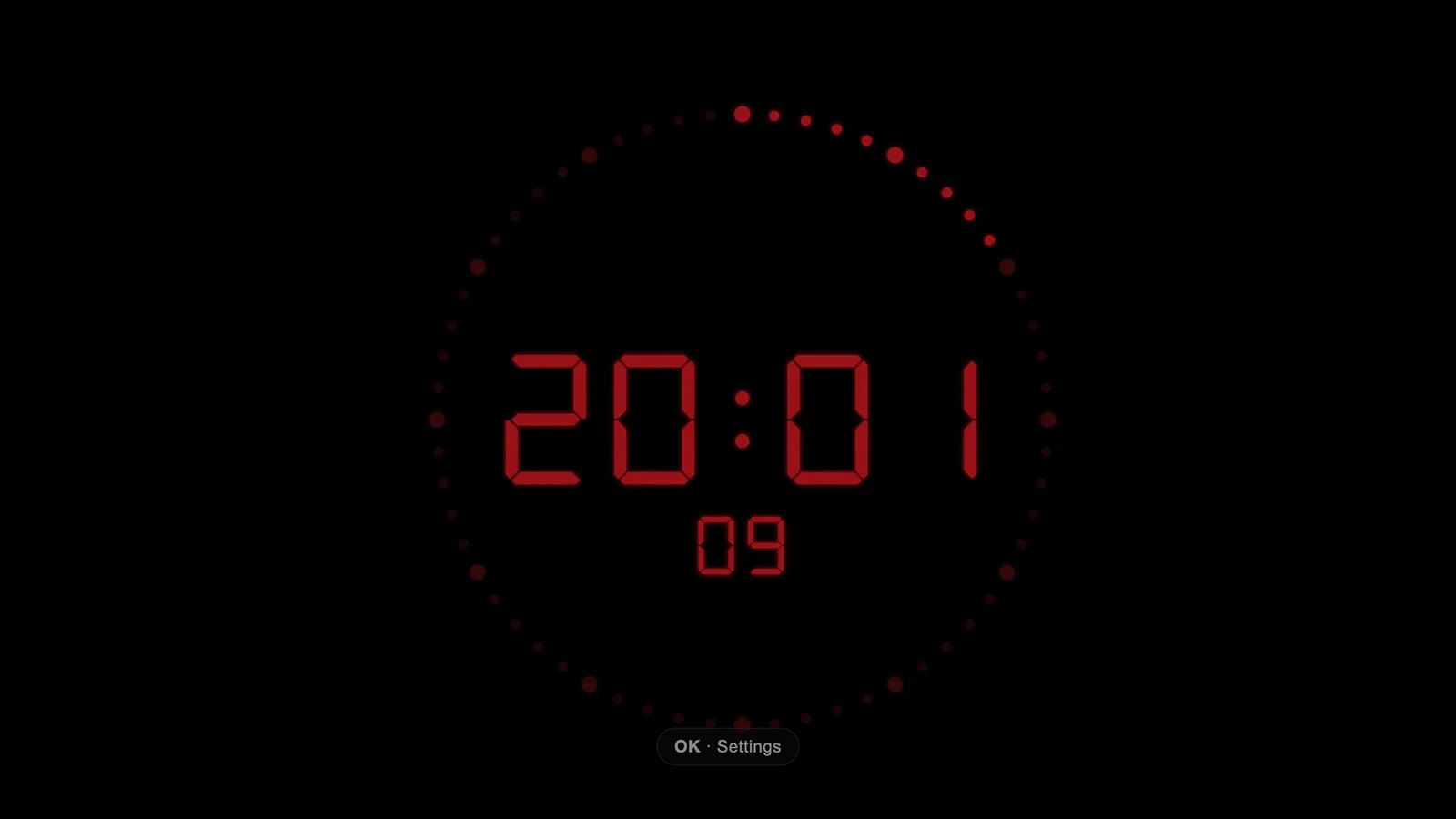
In every control room and gallery I’ve worked in, the clock is the quiet centre of gravity. Nobody stares at it. They glance: the top of the hour, the countdown to the news, the hard out at :59:50, the second the ON AIR light comes on.
After almost twenty years in media and broadcast, it is still my favourite type of clock. Not because it is beautiful — although it is — but because it means something. In a studio, a clock is not decoration. It is the one reference point everyone in the room shares.
So when I wanted a proper clock on my LG TV, a screensaver was not going to do. I wanted the thing itself: black glass, glowing digits, a seconds ring filling through the minute, and an ON AIR badge for the evenings when the living room is the gallery.
That is what I built.
What it is
Studio Clock is a small webOS app for LG TVs. It runs at 1920×1080, works entirely offline, and asks for no permissions. It is written in plain JavaScript and SVG — no framework, no network calls, no telemetry, no API to fetch the time. The fonts are bundled. The packaged IPK is about 170 KB.
The face is built around a 60-dot seconds ring. It fills cumulatively through the minute, with a larger dot every five seconds, so you can read how much of the minute is left at a glance without counting. Time can be 12- or 24-hour. The digits come in two styles: a seven-segment LED face and a dot-matrix one. There are five colours — red, cyan, white, green, amber — and five brightness steps. Seconds can be hidden; ON AIR can be shown.
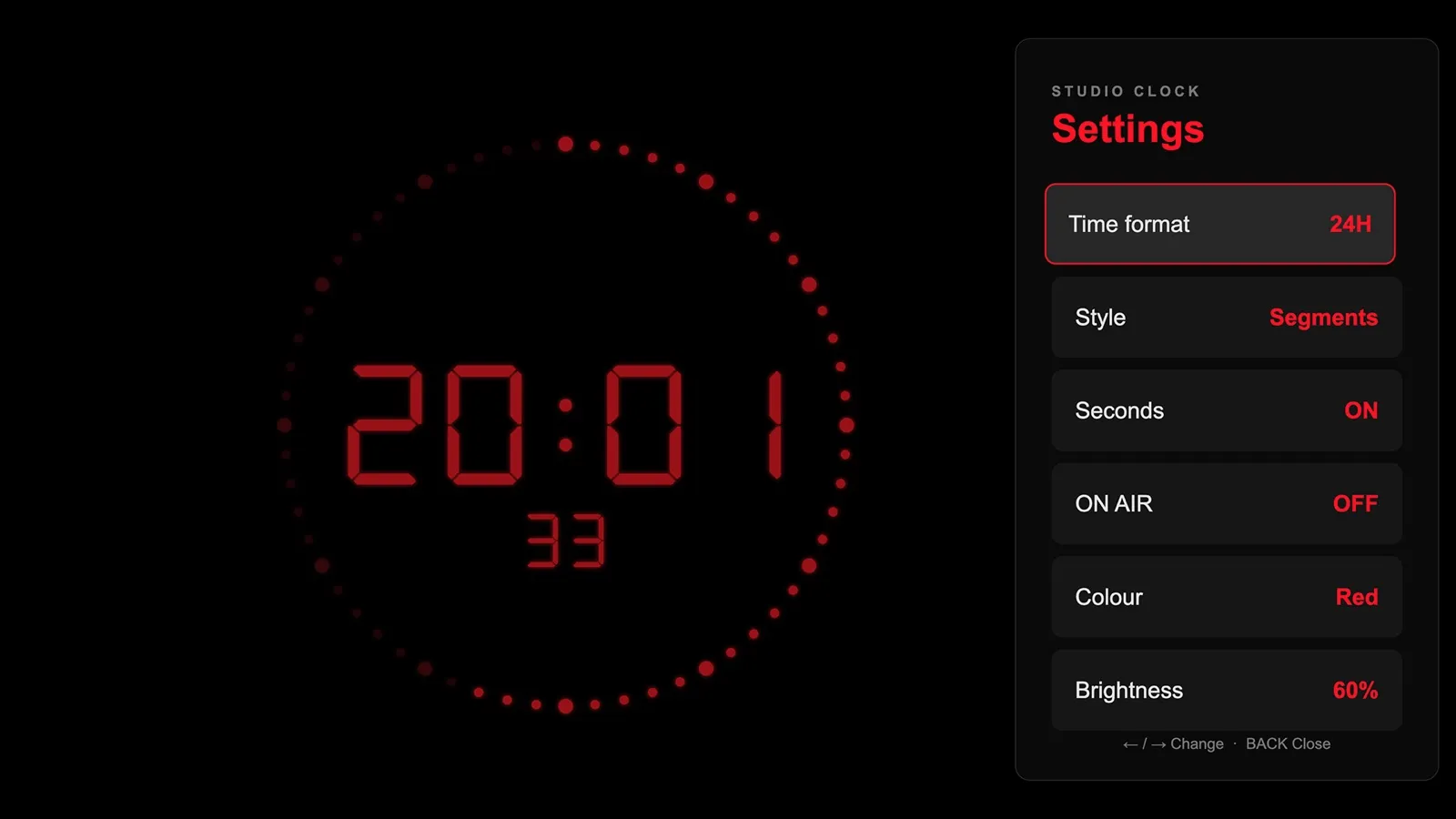
It is driven with the Magic Remote: OK opens settings, up and down move between rows, left and right change a value, Back closes the panel. Settings are remembered between sessions. Nothing else is required.
Built for a TV that stays on
A television is a different display from a monitor. You read it from three metres away, in a dark room, often for hours.
Two details came out of that. The first is keeping the panel awake: a 1×1 canvas is streamed at one frame per second into a muted, looping video, and the Screen Wake Lock API is requested where available. It is a quiet keep-alive, not a guarantee — the TV firmware always has the final say. The second is movement. Every three minutes the whole clock shifts by a random offset of up to 48 px horizontally and 36 px vertically. On an OLED panel, bright static digits can cause burn-in. The shift is intended to be unobtrusive and reduce prolonged exposure in the same position, though it cannot eliminate that risk.
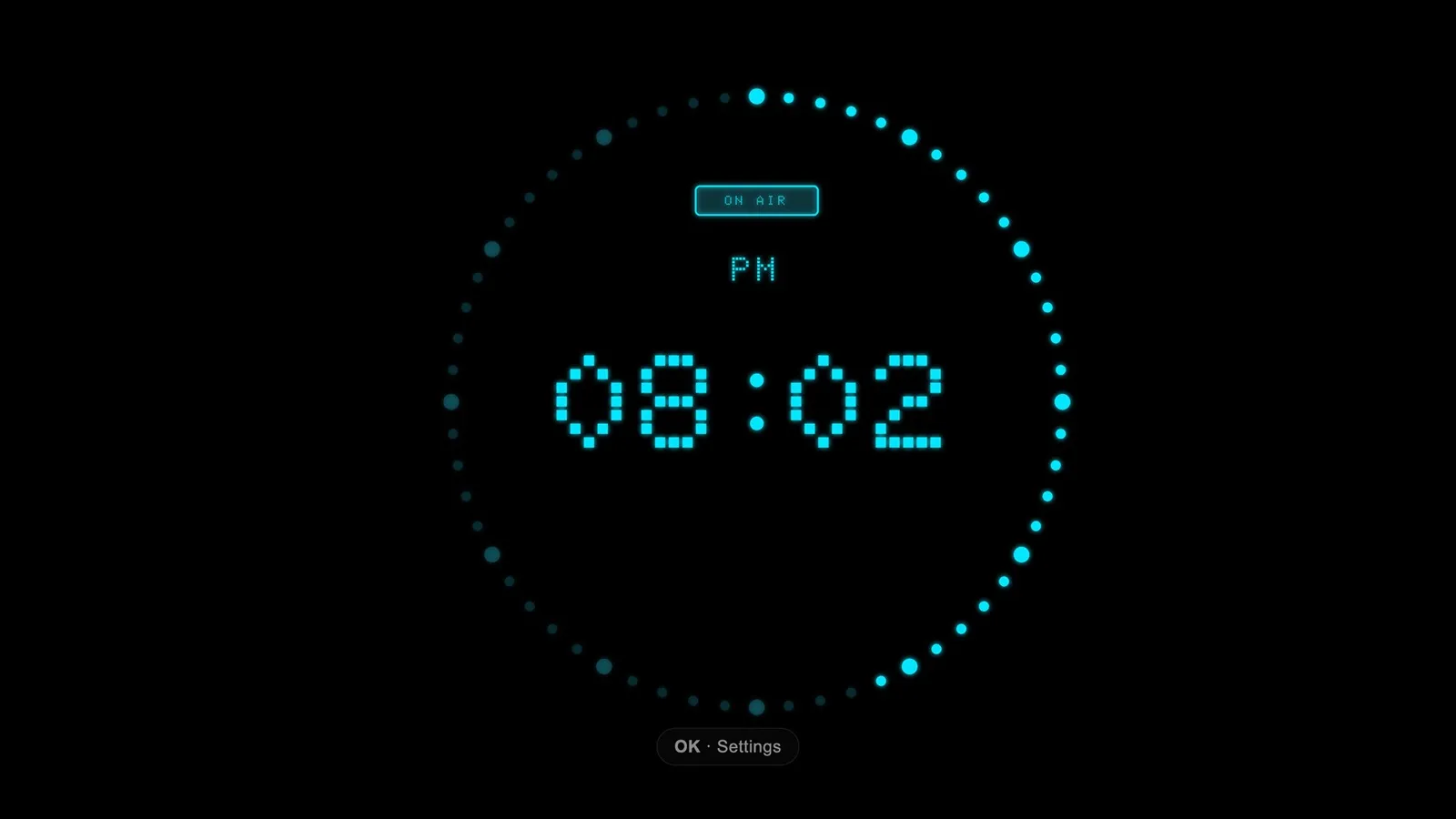
The rest is restraint: pure black background, 60% brightness by default, no chrome, no widgets, no weather. The seconds ring is the only thing on the face that moves, and it is doing a job.
Why this one
The other two clocks serve different rooms: Night Watch combines digital and analog faces with weather, alarms, and a timer, while Office Clock puts an analog dial and world clocks on office walls. Studio Clock is the one I use in the evening. It sits on the TV, red digits on black, the ring filling and resetting, and for a moment the living room feels like a place where something is about to go on air.
All these years later, I still find that comforting.